Natural speech begins before the voice is generated. The listener needs sentences that are easy to follow, familiar phrasing, and enough space around important information. A highly expressive voice can still sound mechanical when it is reading a paragraph built for silent scanning.
To turn text into natural speech, prepare a spoken version, resolve pronunciation, choose a suitable voice, and test a short passage. Revise the specific problem you hear rather than regenerating the same text with increasingly dramatic instructions.
The writing principles below help across workflows, while exact controls should come from the voice tool you use.
Make the Text Speakable in XPT
1. Tell XPT who is listening
Open the Unfiltered AI Writer or an XPT chat and provide the passage. State its purpose, audience, language, and intended delivery. A museum introduction, an internal explanation, and a fictional monologue need different rhythms.
Say what must remain exact: names, dates, technical claims, prices, or a particular line of dialogue. Keep the approved source nearby. Making a passage sound smoother should not change its meaning or quietly remove a condition.
2. Request a spoken edit, not a new article
Ask for shorter, connected sentences and one clear thought at a time. Preserve useful transitions so the result does not become a series of clipped statements. Have XPT put performance notes outside the words to be spoken.
“Edit this text for a calm, conversational voiceover. Preserve every factual detail and the intended meaning. Reduce long clauses and phrases that sound formal aloud. Keep the sentences connected. List pronunciation questions separately, and do not add a new introduction.”
Read the revision aloud yourself. If you stumble, identify the phrase rather than telling the model to make everything more natural. The best correction may be moving a clause or replacing a vague pronoun, not changing the whole paragraph.
3. Build a small pronunciation list
Identify names, abbreviations, dates, measurements, and words that have more than one reading. Decide how they should sound before generating. Expand an abbreviation when listeners would otherwise need to see the letters to understand it.
Keep the list separate from the public script. A phonetic spelling that helps a voice tool may look wrong in a transcript. Where exact terminology matters, confirm the pronunciation with a reliable reference or someone who knows the name.
For fiction, use the AI Story Bible Generator to organize recurring names and speaking notes. Save that reference explicitly rather than assuming a chat or voice tool will remember every choice across sessions.
4. Generate a sample in the available audio workflow
Check whether your XPT session offers a suitable voice-output option. Public material reviewed for this guide does not establish a dedicated XPT text-to-speech editor, voice catalog, or audio-export format. If those are unavailable, use XPT’s prepared script in a compatible speech tool or a human recording workflow.
Choose a voice whose ordinary delivery fits the job. Start with the default or a restrained setting before changing speed, emotion, or other controls. A mismatch between voice and material is difficult to repair by adding more performance cues.
5. Bring the audible defect back to XPT
Listen once without the script, then once while following it. Note a precise problem: the date sounds ambiguous, the second sentence rushes, or a phrase receives the wrong emphasis. Ask for two small rewrites of that passage, keeping the information intact.
“The phrase after ‘because’ sounds rushed. Rewrite only that sentence in two ways, keeping the same claim and qualification. Use a natural spoken rhythm. Leave the surrounding paragraph unchanged.”
Generate the revised passage with the same voice and settings first. This gives you a fair comparison of the writing change. Adjust the delivery only if the sentence is already clear.
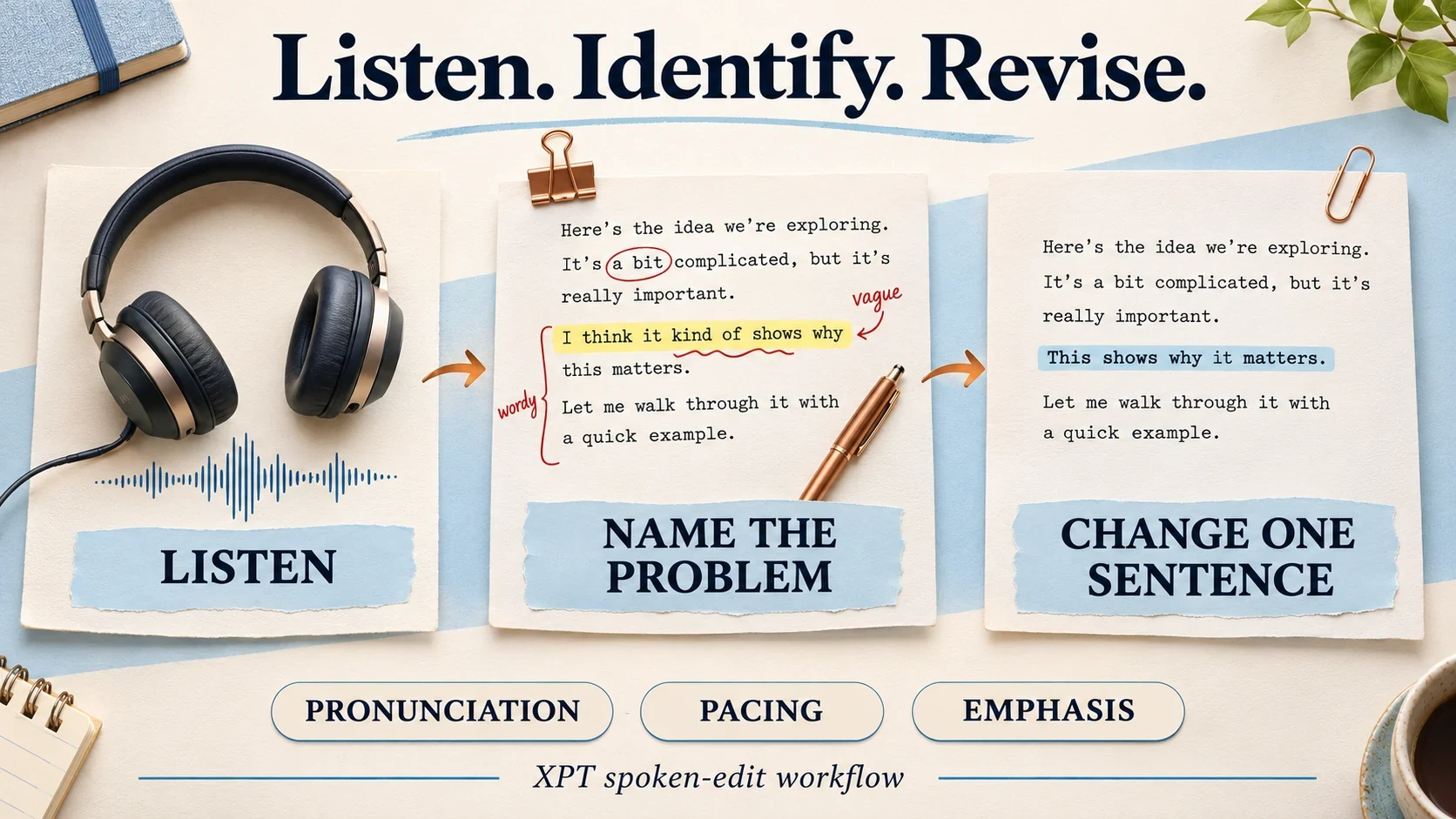
Fix Rhythm Before Adjusting Speed
A long sentence may need a full stop, but not every comma needs a dramatic pause. Listen for meaning groups: the words that belong together. Breaking those groups can make a line choppy even when each word is pronounced correctly.

If a list contains several dates or steps, give each item enough room to be understood. Sometimes the right answer is two short sections rather than a slower reading of one dense paragraph. Let structure solve the problem before stretching every word.
Emphasis Should Clarify the Point
Decide which word carries the meaning. A sentence contrasting today with tomorrow needs different stress from one contrasting an estimate with a guarantee. Do not ask for equal emphasis on every important-sounding word.
Use emotional directions sparingly. A neutral explanation can sound credible without being excited, and a reflective character does not need to whisper every line. If delivery instructions begin to dominate the text, return to the intention of the passage.
Avoid copying pause tags or pronunciation syntax from an unrelated model. Some tools support dedicated controls; others may read the notation aloud or ignore it. Test a single cue before applying it throughout a longer script.
Review the Passage in Its Final Context
Play the saved audio on the device or in the project where it will be heard. Check the first and final words, volume, pauses, and transitions into neighboring sections. A sentence can sound good alone and still feel abrupt after the previous one.
Natural speech is a sequence of understandable choices. Make the text easy to say, choose a voice that suits it, and revise from what you actually hear.