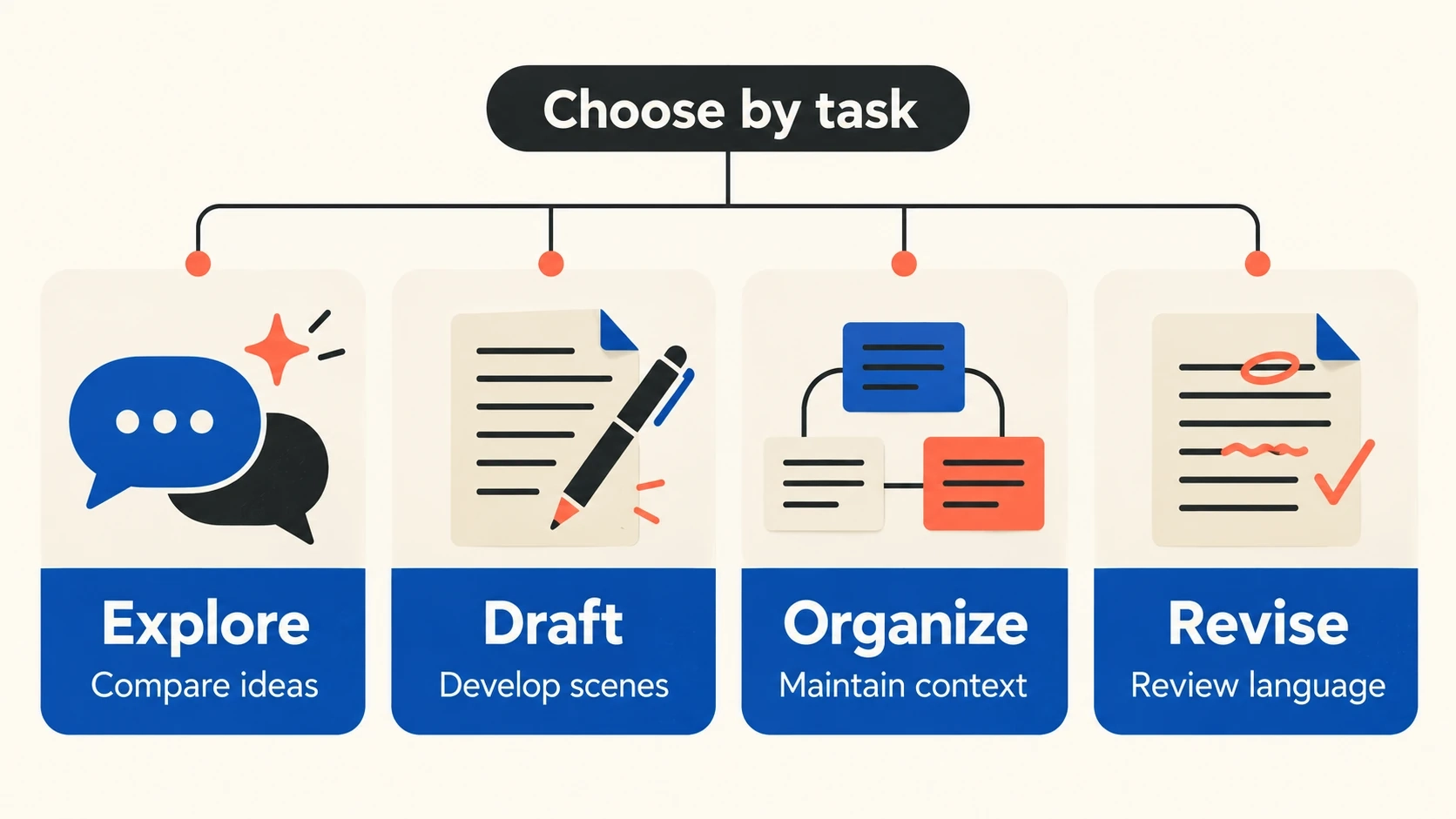
The best AI tool for creative writing depends on the part of writing you need help with. A tool that produces useful scene alternatives may not be the right place to manage a series reference. A grammar assistant may improve sentences without helping you decide what the chapter should do. Begin with the task, then compare tools against the same piece of your own work.
This guide groups four options by their documented workflows: XPT for conversational exploration, Sudowrite for fiction drafting and rewriting, Novelcrafter for project context, and ProWritingAid for editing support. It is a research-based shortlist, not a hands-on ranking or a claim that one model writes the best prose. Prices, quotas, and plan-dependent features should be checked before subscribing.
Choose by the Work You Want to Finish
| Your immediate task | Starting point to examine | What to test |
|---|---|---|
| Explore a premise or difficult scene | XPT | Can you redirect the idea without losing the central conflict? |
| Develop or rewrite fictional prose | Sudowrite | Do suggested passages help your scene and voice? |
| Manage recurring story information | Novelcrafter | Can you organize and provide the context your project needs? |
| Diagnose sentence and style issues | ProWritingAid | Which suggestions improve readability without flattening your voice? |
These are starting points, not exclusive categories. A writer may plan in one workspace, draft in another, and edit in a familiar document. The question is whether the extra step saves work or creates another version to maintain.
Four Tools Worth Evaluating
XPT: Open-Ended Creative Conversation
XPT's Unfiltered AI Writer presents a conversational workflow for brainstorming, drafting, and revising creative material. Its positioning emphasizes room for mature and unconventional fictional directions. That makes it a relevant candidate when your main need is to discuss a premise, compare interpretations, or revise a charged scene through follow-up instructions.
Give the request a job: propose three consequences, examine a character's motive, or rewrite a passage with less exposition. Keep your own accepted notes and inspect the result. This is a conversation-based writing workflow; do not assume it supplies automatic manuscript management or a publication-ready book.
Sudowrite: Fiction-Focused Drafting and Revision
Sudowrite's official feature overview describes tools for generating prose, expanding passages, rewriting, brainstorming, and story planning. Consider it if you want a writing workspace organized around fiction rather than a blank general-purpose conversation.
The useful trial is a scene you already understand. Compare whether an expansion adds a meaningful beat or only more description, and whether a rewrite preserves the character's intention. A pleasing paragraph is not enough if it changes the facts that make the scene work. Check the current plan before assuming a particular feature or allowance is included.
Novelcrafter: Story Context and Project Organization
Novelcrafter describes a novel-writing workspace with a Codex for story information and AI-assisted writing workflows. It is a candidate for writers who want to organize recurring characters, settings, and reference material alongside a longer project.
Look at how you would maintain the context, not merely how much you can enter. Ask whether revising a character fact would be easy to trace and whether you can select the material a scene needs. Check its current model-provider setup and associated costs before comparing subscription prices directly with an all-in-one service.
ProWritingAid: Editing and Storytelling Support
ProWritingAid offers editing and storytelling tools, including reports intended to help writers examine their work. Consider it when you already have a draft and want structured feedback on language rather than another tool to generate an opening.
Review recommendations one at a time. A deliberate fragment, repeated word, or unusual sentence may serve the narrator. The goal is to identify a problem worth fixing, not to accept every suggestion until the prose becomes uniform. Verify the current feature set for the version and plan you intend to use.
A Short Creative-Writing Workflow to Try in XPT
1. Give the Conversation a Bounded Job
Choose a scene that has stalled and describe the character's goal, obstacle, and last meaningful choice. Ask for options before prose if you do not know the next event. Keep the request small enough to evaluate.
2. Choose a Direction and Generate a Passage
If you need a connected sequence, the AI Plot Generator is a related starting point. Select the consequence you want and carry it into a drafting request with the relevant facts, viewpoint, and stopping point. Do not expect material to transfer automatically between pages.
3. Request a Focused Revision
Save the first version, then ask for one change: less explanation, more distinct dialogue, or a clearer cost to the decision. Compare the result against the same scene goal. Stop when you have useful material, even if you choose to write the final prose yourself.
Compare Tools with the Same Brief
Use a passage you wrote and a clear assignment. For example, ask each candidate to develop a tense exchange where one character wants the truth and the other wants to end the conversation. Supply the facts neither version may change.
“Task: propose three ways to revise this scene, then draft one short option. Preserve the characters, viewpoint, established facts, and final decision. Improve subtext and make the speakers pursue different goals. Do not add a new secret, rescuer, or explanation of the theme. My scene and context: [paste material you have the right to use].”
Evaluate the outputs with the same questions: did the revision preserve the facts, create useful alternatives, follow the scope, and reduce your next editing task? Record the correction you still had to make. A tool that needs less supervision for your work may be a better fit than the one with the largest feature list.
Costs and Friction That a Feature Table Can Hide
Think beyond the displayed subscription. Check generation allowances, model charges, export options, account requirements, and the work required to maintain context. You may not need every feature in a dedicated novel workspace if your immediate task is a short scene.
Also consider where your accepted draft lives. If each tool creates a separate master version, revisions become harder to reconcile. Keep a clear source document and decide which notes must travel with the scene before adding another service to the workflow.
Pick the Tool That Solves the Current Bottleneck
Choose conversation for exploration, a fiction workspace for drafting operations, a project system for context, or an editing assistant for diagnosis. Test one representative task before committing to a larger process. The right result is a piece of writing you can develop with less confusion and more control.