A talking photo combines a still portrait with speech and generated facial movement. To make one, you need a usable face image, a short spoken message or audio file, and a tool that can animate the portrait to match the speech.
It is a different task from adding a breeze to a landscape. The viewer will notice pronunciation, mouth timing, expression, and identity at the same time. A polished background cannot hide a face that freezes or a voice that reads the wrong name.
HeyGen’s talking-face page describes a workflow that adds synchronized lips, blinks, and head movement to a photo. Different tools support different inputs, so confirm whether yours accepts written speech, recorded audio, or both before preparing the final material.
Prepare a Talking Photo With XPT
1. Choose a portrait you can use
Use your own image, an authorized portrait, or an original fictional character. The face and mouth should be readable at the intended crop. Heavy obstruction, a very strong profile, or a tiny face in a group makes the result harder to assess.
Keep an untouched source. If the portrait needs a small adjustment, prepare it with the AI Image Editor before creating the talking version. Check that the person’s features remain recognizable after any cleanup.
For an illustrated character, decide whether the tool you plan to use accepts that kind of face. Support for a photographic portrait does not automatically establish equal support for a highly stylized drawing or animal character.
2. Write a message that sounds spoken
Ask XPT to turn the idea into a concise line with one purpose. Give the audience, tone, language, and any names that need pronunciation guidance. Keep directions separate from the words the character should actually say.
“Write a short welcome for a fictional museum guide speaking to first-time visitors. Use warm, plain language and one clear next action. Keep it natural when read aloud. Put performance notes separately so they are not spoken.”
Read the line yourself. Remove a long setup, repeated greeting, or list that sounds like website copy. A talking photo is often more effective with one useful sentence than with a dense announcement.
3. Finalize the audio before the face performance
Use a supported text-to-speech option or record the line. If XPT provides an appropriate voice output in your session, check the available choices there. Otherwise, use the script prepared in XPT with a voice tool or your own recording.
Listen without looking at the image. Check names, dates, numbers, pauses, and the final word. If the audio is wrong, fix it now. A later change in delivery speed or wording may require another facial-animation pass.
Avoid adding unnecessary instructions inside the spoken text. Model-specific delivery tags can be interpreted differently or read aloud. Use the voice tool’s documented controls rather than assuming one service’s syntax works everywhere.
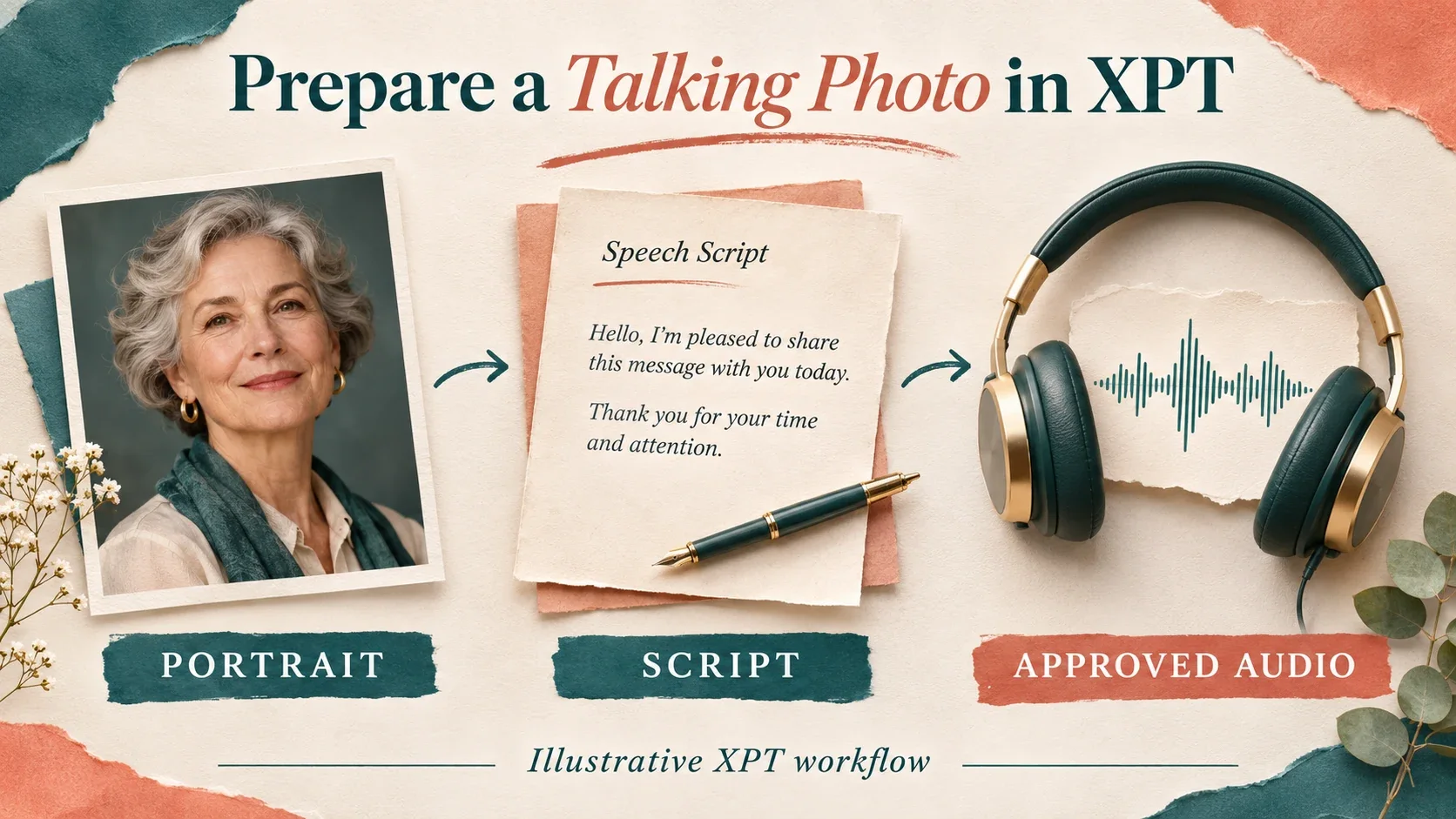
4. Pair the portrait with approved speech
Use a compatible talking-photo or lip-sync renderer. XPT’s public pages reviewed here do not establish a dedicated talking-photo interface, so check your actual session before assuming direct video output is available. If it is not, XPT remains useful for the script and performance brief.
“Use this authorized portrait with the approved audio. Keep the face, hairstyle, crop, and background stable. Use a calm expression and restrained head motion. Match the visible speech to the audio and preserve the pauses. Do not add words.”
The AI Lip Sync Generator page organizes this audio-led production brief. Rendering still depends on the compatible workflow you choose.
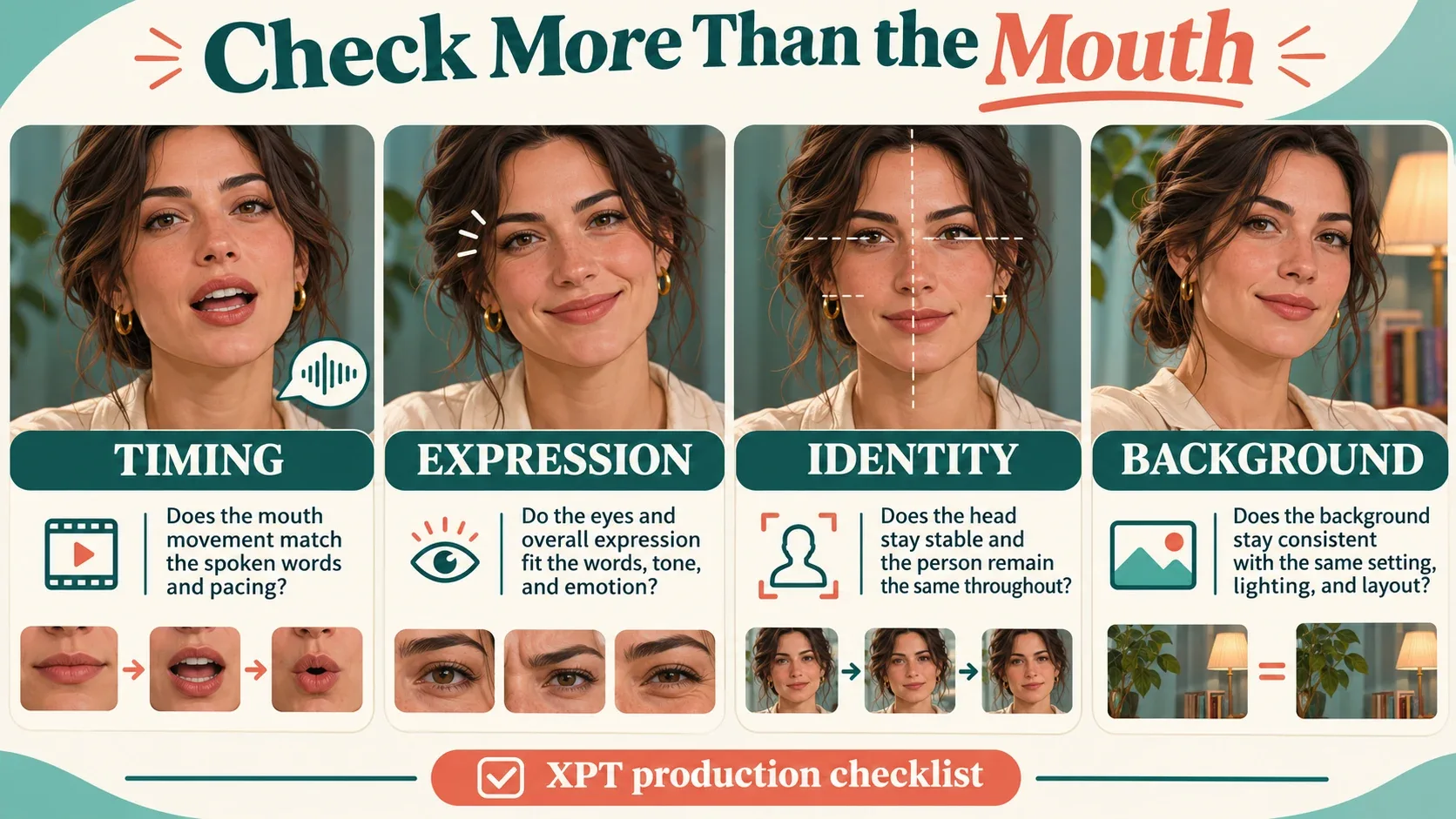
5. Review the person as well as the mouth
Watch at normal speed with sound. Look for speech that begins before the lips move, a mouth that keeps moving during silence, or an expression that clashes with the line. Then inspect difficult moments more closely.
Check eyes, teeth, cheeks, jaw, and hairline. A mouth can appear active while the rest of the face looks frozen. Also check that the background does not pulse or change when the head moves.
Better Speech Starts With a Smaller Script
If a line feels rushed, shorten it before adjusting speed. Important names or instructions need room to be understood. Read numbers as you want listeners to hear them and give unfamiliar terms a pronunciation note outside the spoken copy.
For localization, translate meaning and delivery rather than matching every word mechanically. The new sentence may be longer than the original. Approve the translated audio before asking the face to perform it.
The guide to generating an AI voice from text covers this audio-preparation stage in more detail. Keep voice approval separate from visual approval so you know which input needs attention.
Common Problems and the Next Useful Fix
If the face changes too much, reduce head movement and revisit the source portrait. If the mouth looks poorly synchronized, confirm that the final audio file is the one actually used. If delivery is unnatural, rewrite or regenerate the speech before changing the image.
If a gesture or head turn is essential to the message, consider an existing video or a different production approach. A single still does not show every angle of a person’s face, and generated motion can introduce details the source cannot verify.
Check the actual saved clip on the screen where people will watch it. Small facial artifacts can become more obvious in a large player, while quiet consonants may disappear through a phone speaker. Review sound and picture in that context before approving the result.
Keep the portrait, approved script, audio, and selected output together. When sharing a creative animation of a real person, provide enough context that viewers do not mistake it for an authentic recording or endorsement.
Make the message useful first, then make its performance coherent. A successful talking photo gives the face a clear line, an appropriate delivery, and enough restraint for the viewer to focus on what is being said.