Microsoft Copilot is most valuable when your work already lives in Word, PowerPoint, Outlook, OneDrive and the wider Microsoft ecosystem. XPT makes more sense when the idea is still changing and you want to keep exploring it through writing and images without turning it into an office document too early.
Choose Microsoft Copilot when integration is the job. Choose XPT when creation is the job.
Both products can chat, work with files and generate images. The meaningful difference is what happens after the first useful answer: Copilot helps move information into Microsoft workflows, while XPT gives a creative idea more room to branch, change tone and become a larger text-and-image project.
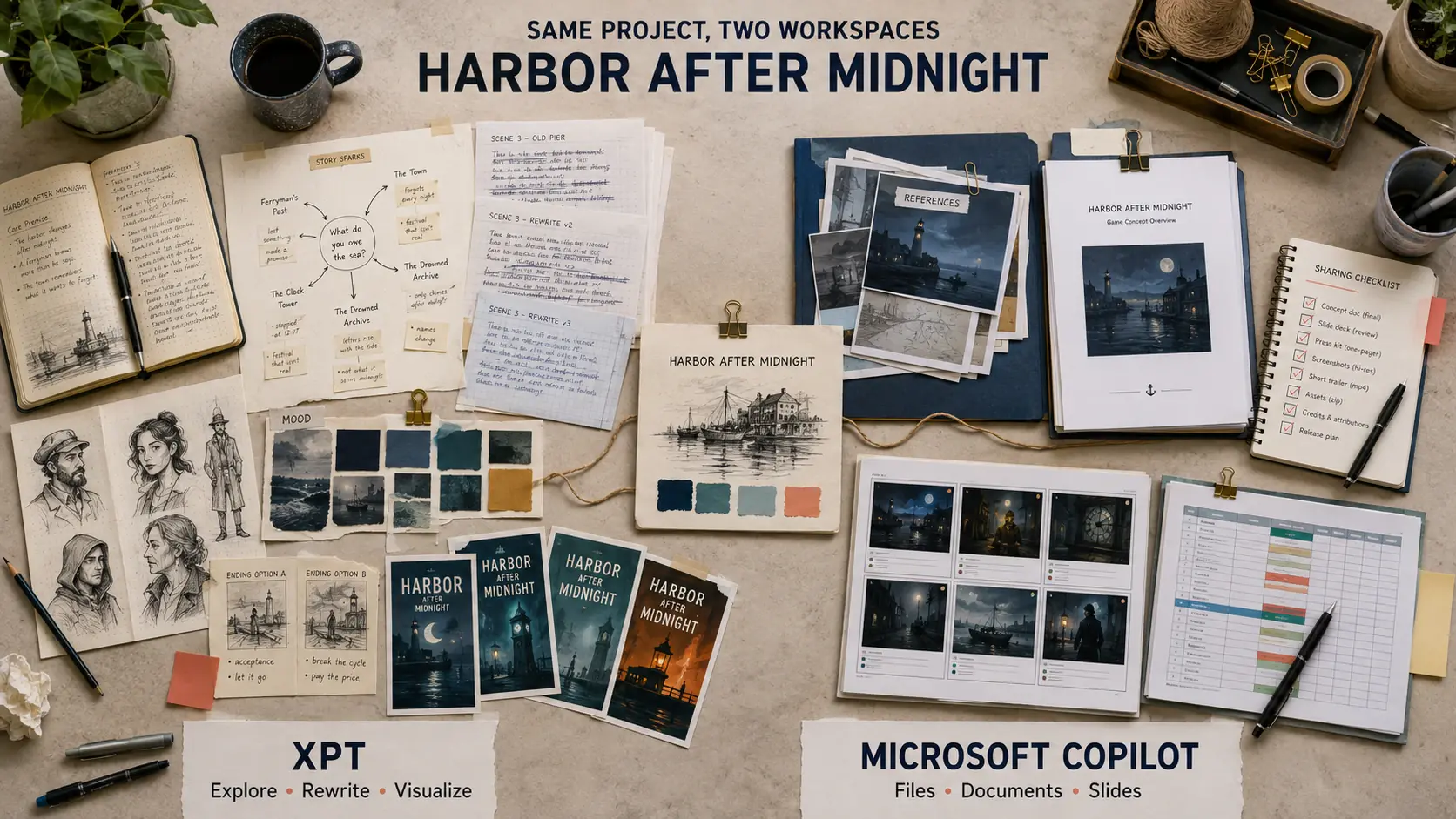
Put the Same Project on Both Desks
Imagine you are developing a story-driven indie game called Harbor After Midnight. You need:
- a clear premise;
- three connected characters;
- a 700-word opening scene;
- a poster direction;
- and a five-slide pitch outline.
This is not one prompt. It is a chain of decisions. The premise changes the characters, the characters change the opening scene, and the scene changes what the poster should communicate.
In Copilot, you can brainstorm the concept, upload reference files, create or edit an image, and continue the output in Microsoft apps when your subscription includes those features. That path is especially convenient when the pitch must end as a Word document or PowerPoint deck.
In XPT, the natural path is to stay with the idea. You can develop the premise, test competing story directions, rewrite the opening in a different voice and move into a visual interpretation. The AI Story Generator is useful when the initial concept needs to become an actual scene rather than another summary of the plot.
The distinction is simple: Copilot is good at placing AI beside existing work. XPT is designed to keep the creative work itself open.
“Microsoft Copilot” Does Not Mean One Experience
Before comparing features, identify which Copilot you actually have.
The consumer Copilot app and website provide chat, Voice, Vision, file uploads, Deep Research and image creation, although availability and limits can vary by account, language, region and device. Microsoft also places Copilot inside Microsoft 365 subscriptions, where it can work more directly with apps such as Word, Excel, PowerPoint, Outlook, OneNote and Teams. Microsoft 365 Copilot for work has its own licensing, organizational data access and administrative controls. GitHub Copilot is a separate coding product and is not part of this comparison.
That distinction explains why two people can describe “Copilot” very differently. One may be using the free chat on the web; another may be working with company files through Microsoft 365. A feature available in one context should not automatically be assumed to exist in the others.
Microsoft’s current Copilot feature overview is the best place to check consumer availability, while its individual plan comparison shows which capabilities are connected to Microsoft 365 subscriptions.
Where Copilot Earns Its Place
Copilot has a clear advantage when the surrounding ecosystem matters more than the chat window.
If your source files are already in OneDrive, your draft belongs in Word, your presentation belongs in PowerPoint and your communication happens in Outlook or Teams, moving between a separate AI workspace and those apps creates unnecessary friction. Copilot can sit closer to the material and the final format.
It is also a broader everyday assistant than a writing tool. Voice conversations, Vision, web-grounded answers, file uploads and Deep Research make it useful for questions that begin outside a creative project. Someone who wants help understanding a spreadsheet, summarizing a document or preparing slides may value that breadth more than additional control over narrative direction.
This is the strongest reason to choose Copilot: not because it always produces the most original first draft, but because it can shorten the distance between an answer and the Microsoft file where the work must end.
When the Office Ecosystem Becomes the Wrong Room
Creative projects rarely move in a straight line. A scene may need five different voices before one feels right. A visual concept may change the character. A discarded paragraph may become a better opening than the original plan.
That kind of exploration can feel awkward when the workflow is organized around documents, presentations and productivity tasks. Users discussing Copilot often mention three practical frustrations: uncertainty about which Copilot experience or license contains a feature, inconsistent context across follow-up prompts, and writing that can sound generic until the brief becomes very specific. Other users report strong results once Copilot is correctly configured and connected to relevant Microsoft files. The surrounding setup makes a large difference.
XPT removes much of that office framing. It is a neutral AI workspace rather than an extension of a productivity suite. You can ask for three conflicting directions, keep the least obvious one, reshape it and continue without deciding whether the result belongs in Word, PowerPoint or an email.
That freedom is most noticeable during revision. Instead of asking only for a cleaner version, you can change the point of view, emotional distance, rhythm or visual mood and treat each response as material to work with. XPT still has product rules and model limits, but its creative positioning is built around allowing lawful ideas to develop with fewer unnecessary interruptions.
Images Do Not Settle the Comparison
It would be inaccurate to describe Copilot as text-only. Microsoft’s current image-generation guidance covers both creating images from prompts and editing uploaded images. Copilot Imagine and Microsoft Designer also make visual creation a real part of the ecosystem.
The difference is how the image relates to the rest of the project.
For a quick presentation image, social visual or design that needs to move into a Microsoft document, Copilot is convenient. For a character or story world that will keep changing alongside the prose, XPT offers a more direct creative loop. After writing the opening scene, you can use the AI Character Image Generator to translate the same personality, clothing, setting and mood into a visual brief, then revise the text when the image reveals a stronger direction.
Neither workflow guarantees perfect consistency. Keep a short reference sheet for important names, visual markers, relationships and style decisions whenever a project spans several sessions or tools.
Privacy Depends on the Mode You Choose
Consumer Copilot and Microsoft 365 Copilot for work do not use the same data framework.
For a signed-in personal account, Microsoft says Copilot retains conversation history for 18 months. Users can delete history, manage memory and personalization, and opt out of using future conversations for generative-AI model training. Turning off training does not automatically turn off personalization; Microsoft provides separate controls for those settings. Its Copilot privacy controls explain the current options.
Work and school accounts may receive enterprise data protection, organizational retention rules and administrator controls. If you are using Copilot through an employer, check the policy attached to that account rather than relying on the consumer description.
According to XPT’s privacy policy, the product offers two creative modes. Personal mode stores encrypted conversation history so a project can be continued later. Incognito mode does not save the conversation in XPT’s database, on disk or in backups. When a selected model is supplied by a third party, its processing terms still matter. For unpublished or confidential material, choose the mode only after understanding the full data path.
Run a 15-Minute Fit Test
You do not need a feature spreadsheet to decide. Give both products the same small project and watch where the friction appears.
1. Test creative range
Propose three clearly different directions for Harbor After Midnight. Change the central conflict, emotional tone and visual language in each version. Avoid minor variations of the same premise.
Look for genuine divergence, not three rearrangements of the same idea.
2. Test continuity under revision
Keep the second direction. Rewrite the protagonist so her public goal conflicts with her private motive, then revise the opening scene without changing the harbor setting or the ending image.
Check whether the tool preserves what was locked while changing only what you asked it to change.
3. Test the text-to-image handoff
Turn the revised opening into a poster brief. Preserve the protagonist’s clothing, the midnight harbor and the final red signal light. Give me three compositions with different camera distances.
Judge whether the visual direction grows from the writing or resets into a generic image prompt.
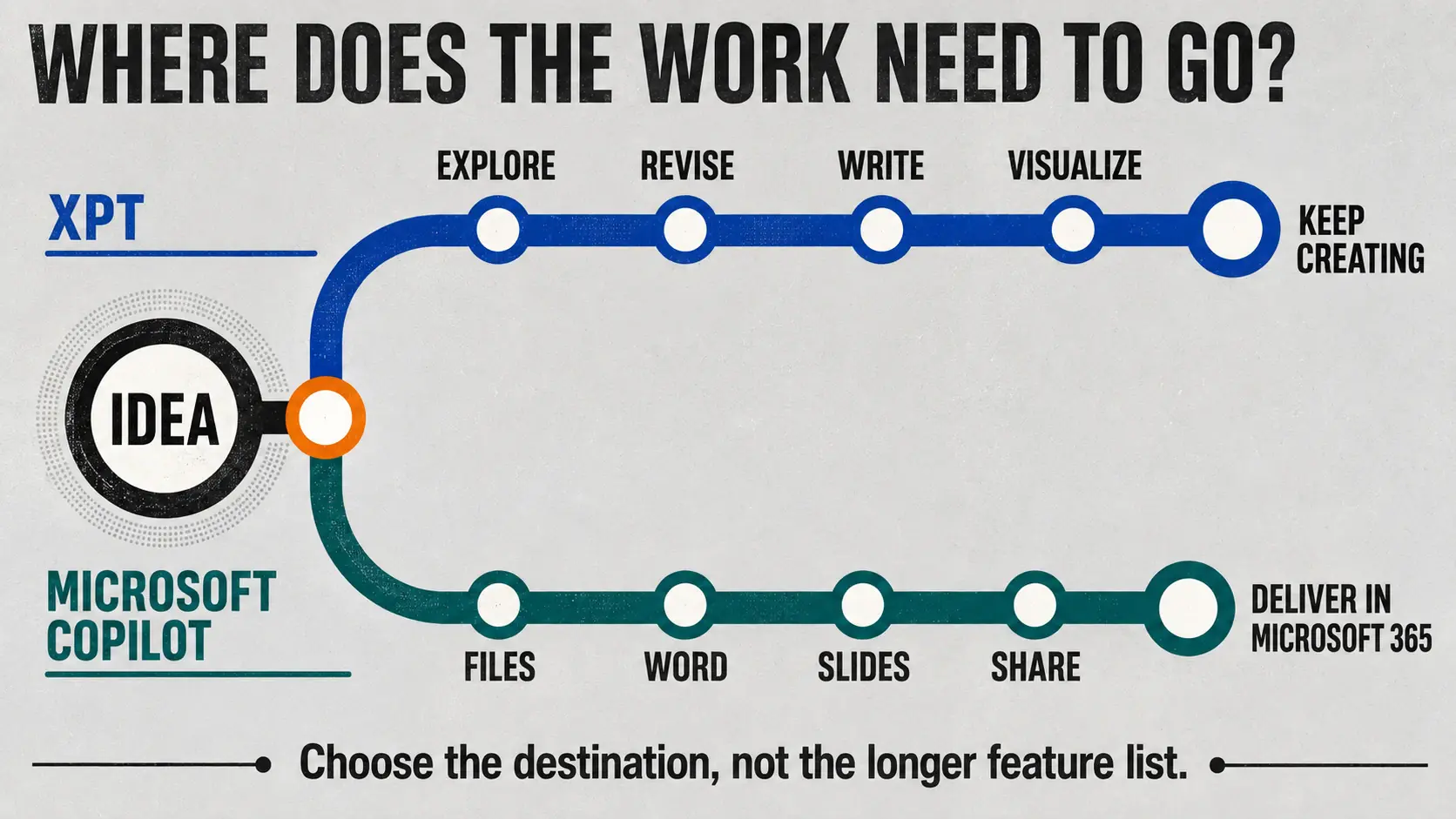
Finally, ask where the result needs to go. If the next step is editing a deck with colleagues, Copilot may have already won. If the next step is another round of story and image exploration, XPT is likely the more natural workspace.
Choose the Destination, Not the Longer Feature List
Choose Microsoft Copilot when:
- your files and collaborators already live in Microsoft 365;
- the final output must become a Word document, spreadsheet, email or presentation;
- Voice, Vision, web research and everyday assistance matter alongside creation;
- organizational controls are more important than an independent creative environment.
Choose XPT when:
- the idea still needs room to change direction;
- writing and images are parts of the same evolving project;
- you want to test multiple voices, scenes and visual interpretations;
- you prefer a creative workspace that is not organized around an office suite.
For research-heavy work, the distinction may be different; XPT vs Perplexity looks more closely at what happens when sources and citations are the starting point.
Copilot is strongest when AI needs to meet you inside Microsoft’s ecosystem. XPT is strongest when you are not ready to decide what shape the idea should take.